

25 Robotics Project Ideas for School Science Exhibitions (Class 6 to 12)
Need a working model for the school science exhibition? 25 robotics project ideas by class, with parts, difficulty, the science and judging tips.

The school science exhibition is coming, and your kid needs a working model. Robotics projects are a brilliant choice: they move, sense and react, and judges remember them.
Here are 25 project ideas sorted by class, with the parts you need, how hard each one is, the science it shows, and a one-line way to explain it to the judges. At the end you will find tips for presenting a working model.
How to pick a project the judges will remember
- Solve a real problem. “A dustbin that opens by itself” beats “a robot that moves”.
- Pick the right level. A simple project that works is better than an advanced one that fails on the day.
- Make sure your kid understands it. Judges ask questions, and the student must answer.
- Plan time for testing. Most projects need a few rounds of fixing.
- Add a twist. Change the purpose, add a sensor, or make it solar-powered.
Easy projects (Class 6 and 7)
1. Rain alarm
A rain sensor detects water drops and a buzzer sounds. Parts: rain sensor, buzzer, battery · Level: Easy Tell the judges: “Water conducts electricity, so the sensor completes the circuit when it rains.”
2. Water level indicator
LEDs light up one by one as a tank fills, and a buzzer sounds when it is full. Parts: wires, LEDs, transistors, buzzer · Level: Easy Tell the judges: “It saves water by warning us before the tank overflows.”
3. Hydraulic robotic arm
An arm made of cardboard that moves using syringes filled with water. No electronics needed. Parts: syringes, tubes, cardboard, water · Level: Easy Tell the judges: “Liquids cannot be squashed, so pushing one syringe moves the other, like the hydraulic arms on excavators.”
4. Solar-powered car
A small car that runs on sunlight. Parts: solar panel, small motor, wheels, chassis · Level: Easy Tell the judges: “The solar panel turns light energy into electrical energy, and the motor turns it into motion.”
5. Clap switch
Clap your hands and a light turns on or off. Parts: sound sensor, LED, micro:bit or simple circuit · Level: Easy Tell the judges: “Sound is a vibration. The sensor turns it into a signal that switches the light.”
6. Bristlebot
A tiny robot made from a toothbrush head and a vibrating motor that scurries across the table. Parts: toothbrush head, coin vibration motor, coin battery · Level: Easy Tell the judges: “Vibration and the angle of the bristles turn shaking into forward motion.”
7. Electronic dice with micro:bit
Shake the board and it shows a random number from 1 to 6. Parts: micro:bit · Level: Easy Tell the judges: “The accelerometer senses the shake, and the code picks a random number.”
8. Fire alarm
A flame sensor detects fire and sounds a buzzer. Parts: flame sensor, buzzer, Arduino or simple circuit · Level: Easy Tell the judges: “Flames give off infrared light, which the sensor detects.”
Medium projects (Class 8 and 9)
9. Smart dustbin
The lid opens by itself when a hand comes near. Parts: Arduino, ultrasonic sensor, servo motor, a bin · Level: Medium Tell the judges: “It is hygienic because no one has to touch the lid.”
10. Smart blind stick
A walking stick that buzzes when an obstacle is close. Parts: Arduino, ultrasonic sensor, buzzer, stick · Level: Medium Tell the judges: “The sensor sends sound waves and measures how long the echo takes, like a bat.”
11. Gas leak detector
Detects cooking gas and sounds an alarm. Parts: Arduino, gas sensor, buzzer, LED · Level: Medium Tell the judges: “The sensor’s resistance changes when gas is present, and the Arduino reads that change.”
12. Line-following robot
A robot car that follows a black line on the floor. Parts: Arduino or micro:bit, infrared sensors, motor driver, motors, chassis · Level: Medium Tell the judges: “Black absorbs infrared light and white reflects it, so the sensors know where the line is.”
13. Automatic hand sanitiser dispenser
Put your hand under it and it pumps sanitiser. Parts: Arduino, infrared sensor, small pump or servo · Level: Medium Tell the judges: “Touch-free dispensers reduce the spread of germs.”
14. Earthquake alarm
Detects strong vibrations and sounds an alarm. Parts: Arduino, vibration or accelerometer sensor, buzzer · Level: Medium Tell the judges: “The sensor measures shaking, and the code decides when it is strong enough to warn people.”
15. Bluetooth-controlled car
A robot car you drive from a phone. Parts: Arduino, Bluetooth module, motor driver, motors, chassis · Level: Medium Tell the judges: “The phone sends commands by radio waves, and the Arduino turns them into motor movements.”
16. Solar tracker
A solar panel that turns to follow the sun. Parts: Arduino, two light sensors (LDRs), servo motor, small solar panel · Level: Medium Tell the judges: “Facing the sun directly makes more electricity, so the panel follows the brighter side.”
Advanced projects (Class 10 to 12)
17. Gesture-controlled robot
Tilt your hand and the robot moves in that direction. Parts: two boards, accelerometer, wireless module, motors · Level: Advanced Tell the judges: “The accelerometer measures the tilt, and the robot copies it wirelessly.”
18. IoT weather station
Measures temperature, humidity and rain, and shows them live on a phone. Parts: ESP32, temperature and humidity sensor, rain sensor · Level: Advanced Tell the judges: “The ESP32 sends sensor data over Wi-Fi, so anyone can check the weather from anywhere.”
19. Smart home model
A cardboard house with lights and a fan you control from a phone. Parts: ESP32, LEDs, small DC fan, relay or transistor · Level: Advanced Tell the judges: “Smart homes save energy by switching things off when not needed.” Safety: use only low-voltage batteries and small DC parts. Never connect a model to a wall socket.
20. Fall detector for elderly people
Detects a sudden fall and sends an alert. Parts: ESP32, accelerometer, buzzer · Level: Advanced Tell the judges: “A fall is a sudden change in acceleration, which the sensor can detect.”
21. AI waste-sorting dustbin
A camera recognises waste and sorts it into the right section. Parts: Raspberry Pi, camera module, servo motors · Level: Advanced Tell the judges: “The AI model has learned what plastic, paper and food waste look like.”
22. Face-recognition door camera
A camera recognises family members and alerts for strangers. Parts: Raspberry Pi, camera module, buzzer or LED · Level: Advanced Tell the judges: “Computer vision finds faces in an image and compares them with saved faces.”
23. Voice-controlled assistant
Ask a question or give a command and the robot responds. Parts: Raspberry Pi, microphone, speaker · Level: Advanced Tell the judges: “Speech recognition turns sound into text that the program can understand.”
24. Lake-cleaning robot boat
A floating robot that collects plastic from water. Parts: Arduino or ESP32, motors, propellers, a floating base, a collection net · Level: Advanced Tell the judges: “It removes floating plastic before it harms fish and birds.”
25. Obstacle-avoiding delivery robot
A robot that carries a small load and steers around obstacles by itself. Parts: Arduino, ultrasonic sensor, motor driver, motors, chassis · Level: Advanced Tell the judges: “It makes its own decisions using sensor data, like a self-driving car.”
Real student projects: our students have built projects like an AI vision smart dustbin and an AI river-cleaning robot. See some of them in our student projects.
How to present a working model
- Make a simple chart: the problem, how it works (a labelled diagram), the parts, and how it helps people.
- Test it on the morning of the exhibition, and carry spare batteries and wires.
- Prepare a 60-second explanation: problem, solution, science, result.
- Practise answering questions like “What would you improve?” and “How much would it cost?”
- Let your kid do the talking. Judges want to hear the student, not the parent.
Questions judges often ask
- What problem does your project solve?
- How does the sensor work?
- What went wrong while building it, and how did you fix it?
- How could this be used in real life?
- What would you add next?
Parts and kits
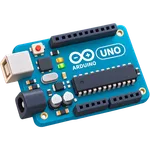
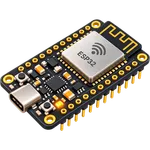
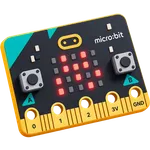
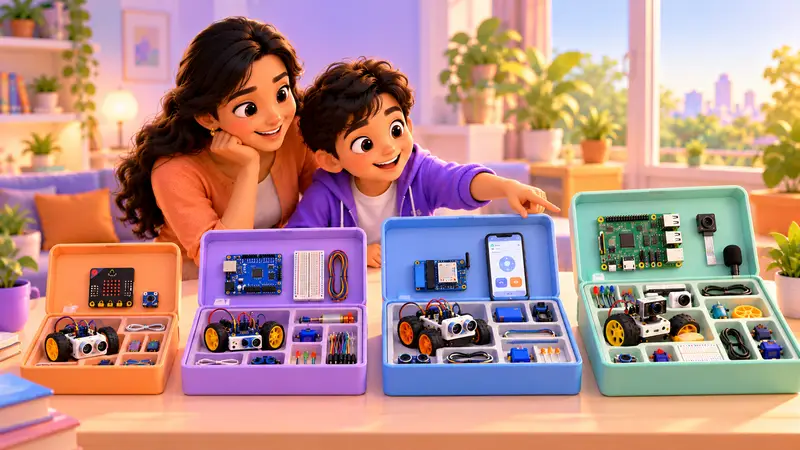
Most medium projects can be built with a good Arduino kit, and IoT projects need an ESP32 kit. Our course kits include the boards and sensors many of these projects use, and we ship them to your home. Ask about kits on WhatsApp.
New to these boards? Read Micro:bit vs Arduino vs Raspberry Pi, or try 10 fun Arduino projects at home first.
Build it with a trainer
In a free demo class, your kid can talk through their exhibition idea with a trainer and start building. Classes are live and 1-on-1, online or at our centre in Bellandur, Bangalore.

 Chat on WhatsApp